
# APPLICANT DATA
# Version 1
# DESCRIPTION
The Requester Data Documentation aims to define the requestor of every service generated in a service, be it a client that has an active record, a new client, another requester (third party) or an internal request. Note that other previous applicants must have a link to the customer's or consumer unit's record.
# Where used?
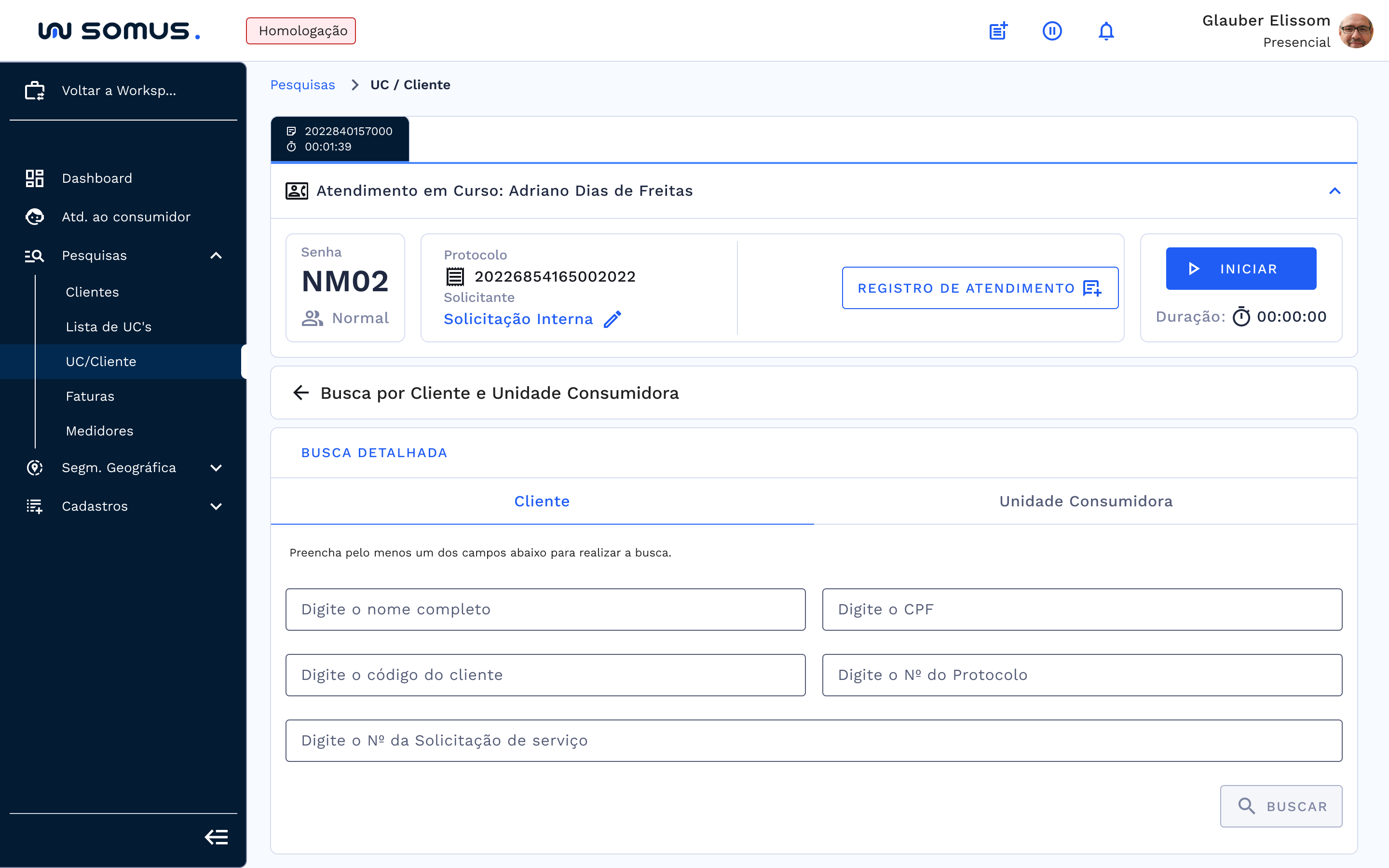
In the routines of the Atendimento ao Consumidor (Customer Service) module, after the start of a service. The functionalities related to the requester will be accessed from the service bar of that module.
# GOAL
In this functionality we must perform the inclusion or selection of a requester in the system, to link it to the services generated during the service. In this way, some validations must be made throughout the process, namely: will the request be made anonymously or with any associated Consumer Unit or Client? Is it the Client itself or a requestor linked to it? Is the registration of the Client that is requesting up to date? Is there already a requestor linked to the Client or will it be a new registration?
Having made the necessary validations, we can proceed with the generation of services. Below we can follow the main access paths and the flow of each validation performed by the system or definition made by the user.
# MAIN PATHS
Login ou acesso ao sistema > Página Inicial > Workspace de Atendimento > Selecione o perfil de atendimento > No menu de navegação selecione o item Atendimento ao Consumidor > Barra de atendimento > Iniciar atendimento > Clicar em Cadastrar Solicitante. (Obs: esta parte está em revisão para tradução.)
# FUNCTIONALITIES
# Own customer
# Scenario 1
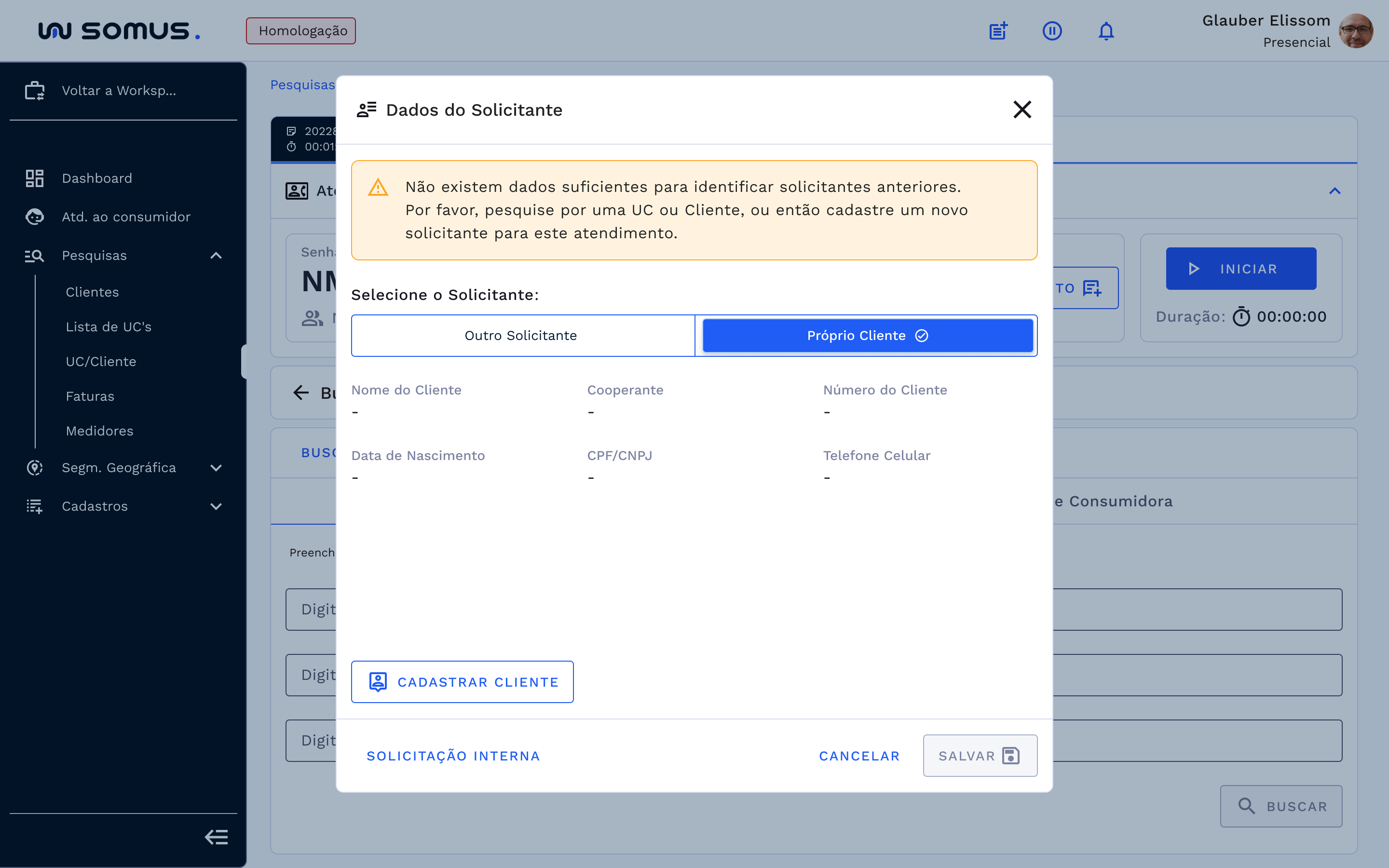
If you do not have the details of a Consumer Unit or Customer already registered:
- Displays fields with blank customer data;
- Provides the quick access mechanism: Cadastrar Cliente (Register Customer) button;
- When clicking on the quick access mechanism, the Client registration screen opens;
- Registration made generates a service request;
- The customer will return to the Atendimento ao Consumidor (Customer Service) module screen as a requesting customer on the service profile screen.
To consult the functioning of the customer record, consult the documentation by email of the link in the table of related documents.
# Scenario 2
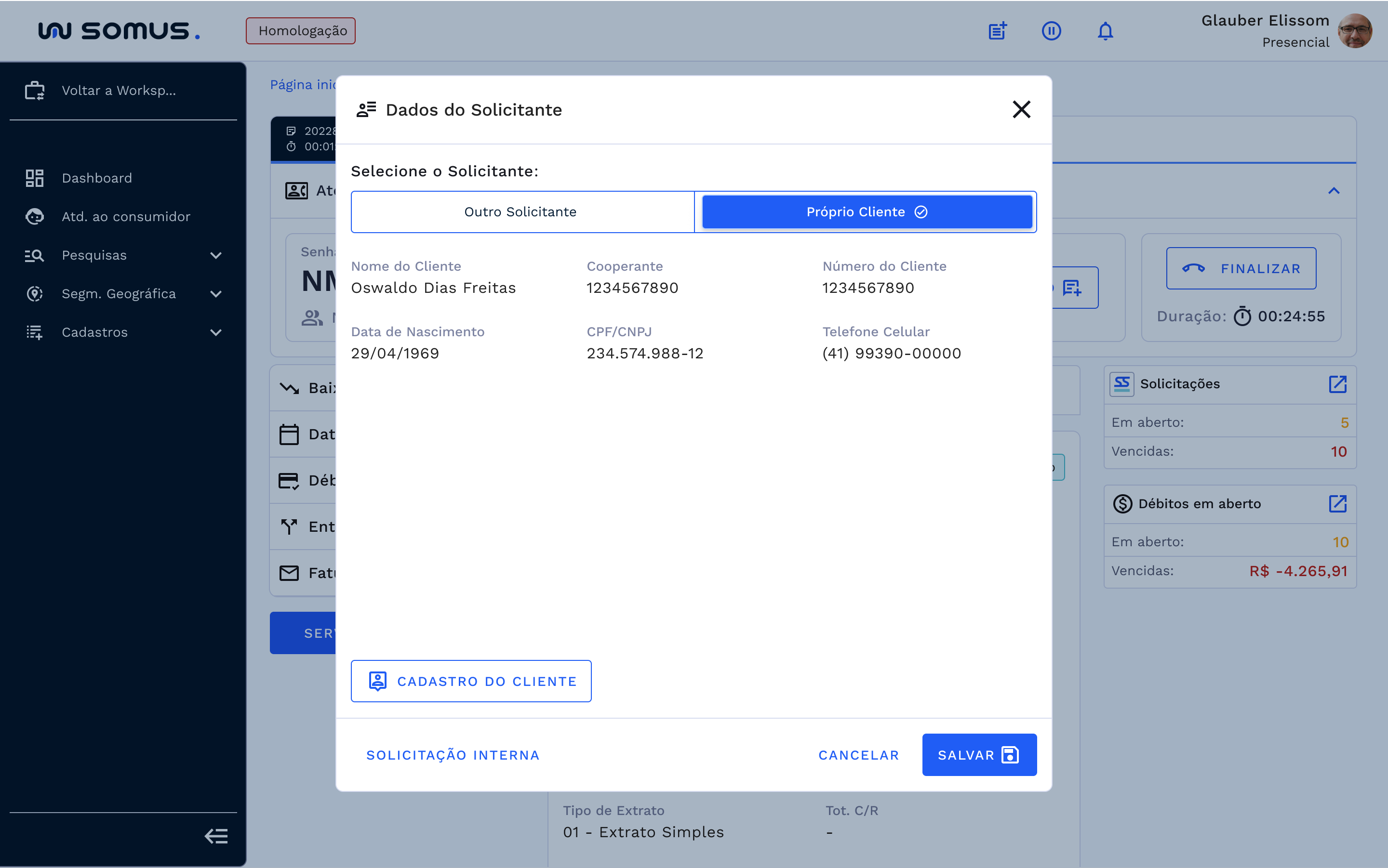
If you have details of a Consumer Unit or Client already registered in the base:
- Presents the data of the located customer containing a brief summary of the information;
- Cadastro do cliente (Customer Registration) Button: it is available for quick access to editing customer data on screen;
- Customer registration screen opens with information in change mode;
- Changed data, returns to the Customer Service module screen with the customer as the requester;
- Salvar (Save) button available to save the client's link as a requester;
- Saved link returns the Customer Service module screen as the customer being the requestor.
# Other Applicant
# Scenario 1
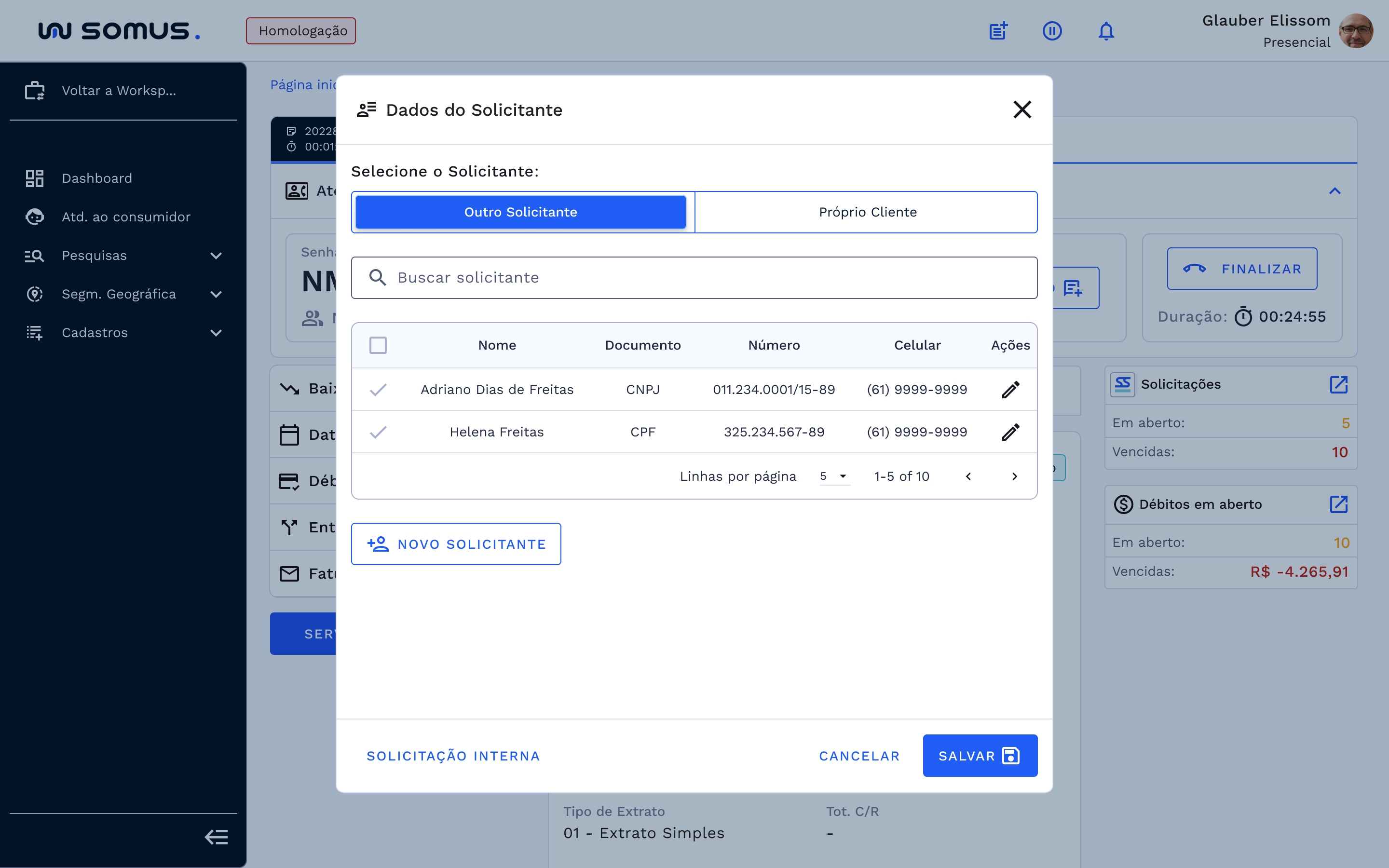
If you have details of a Consumer Unit or Client already registered in the base:
- Lists the history of previous applicants;
- Enables the selection of the desired applicant;
- Provides the action mechanism for editing the applicant's registration;
- Editing mechanism selected, the applicant register screen is opened;
- Screen is displayed in change mode;
- Changed data is returned to the Customer Service module screen.
- Provides the option to save the link of the requester found in the history;
- Requester selected and saved, returns the Customer Service module screen with the requester linked.
# Scenario 2
If you do not have the details of a Consumer Unit or Customer already registered:
- Displays the informational alert in the list of previous applicants;
- Makes the new applicant button available;
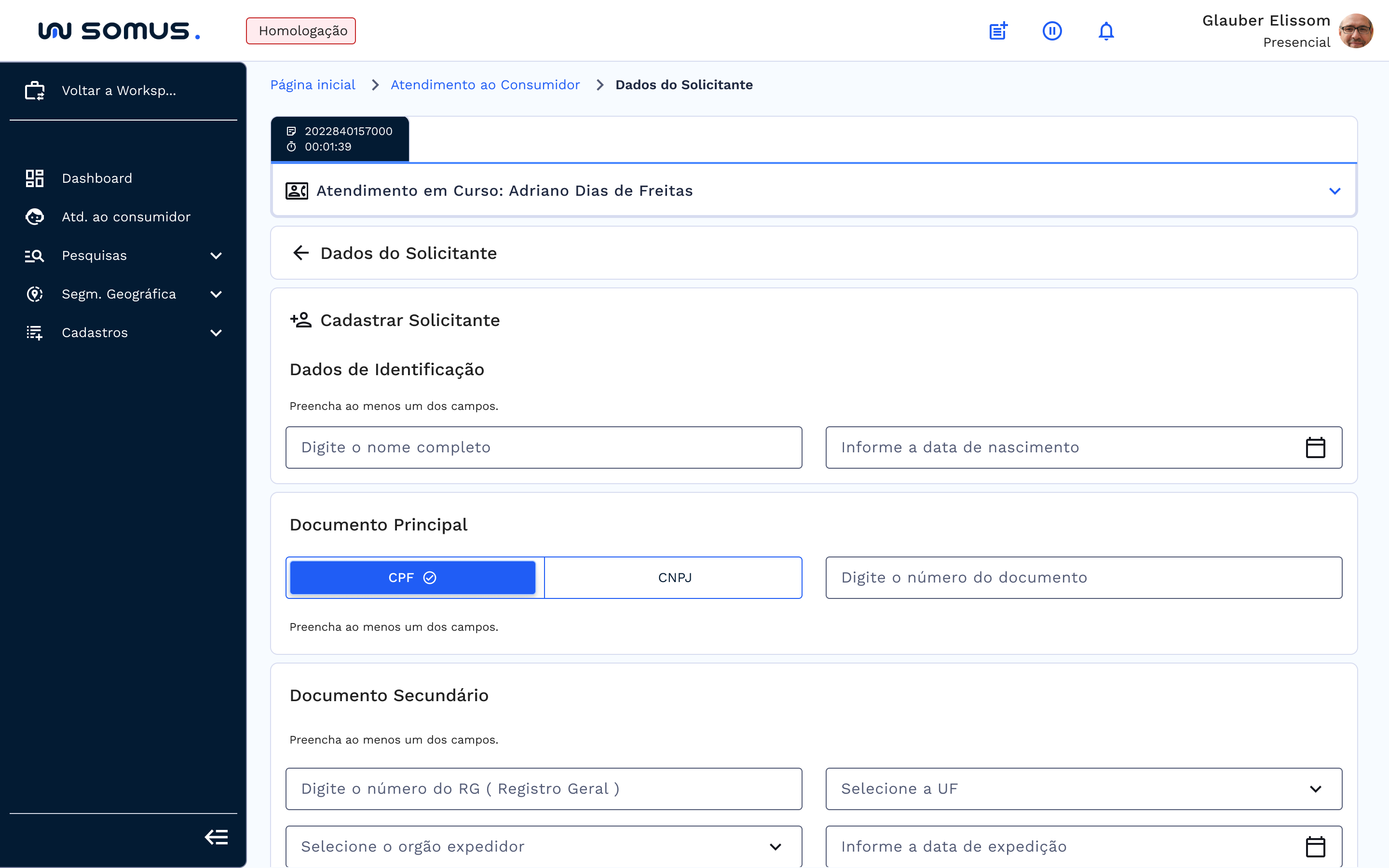
- When clicking on new applicant, the screen to register applicant opens;
- Then it is necessary to fill in the data according to the following criteria:
Identification Data: inform the applicant's full name and date of birth;
Main Document: select the type of document that the applicant wants to inform, we have the option to inform the valid CPF or CNPJ numbers
Secondary Document: fill in at least one of the fields - Inform the RG number, select the State, the type of issuing agency and its respective date of dispatch that appears in the applicant's documentation;
Contact Data: fill in at least one of the items – register the landline number used by the applicant, fill in the active mobile number and a valid e-mail address during registration and inform a reference point of the Consumer Unit;
After filling in the fields, just save the new registration and the system will return to the Atendimento ao Consumidor (Customer Service) module screen, with the Requester already registered and defined as requester of the services to be generated.
# Internal Request
If the Solicitação Interna (Internal Request) button is selected, the system will return to the Atendimento ao Consumidor (Customer Service) module screen, indicating that the services will be generated as a request.
# SPECIFICITIES
Describe the items below regarding validations.
| Function | Parameter | Status/behavior |
|---|---|---|
| Activates the registration of service requesters. | ACS | Activates the registration of service requesters. |
| For the company with parameter equal to YES, it will be possible to validate the DDD by UF. | DDD | This parameter activates the validation of the DDD by UF. It is associated with the parameter mdt=s. Values = s-yes or n-no |
| Enables the check box for updating customer data according to the requester's data | HAC | Enables the check box for updating customer data according to the requester's data. The "applicant data" application will display a check box that will allow the updating of various customer data. |
# BASIC PROCEDURES - SYMBOLS AND CONVENTIONS
# Discover our interface!
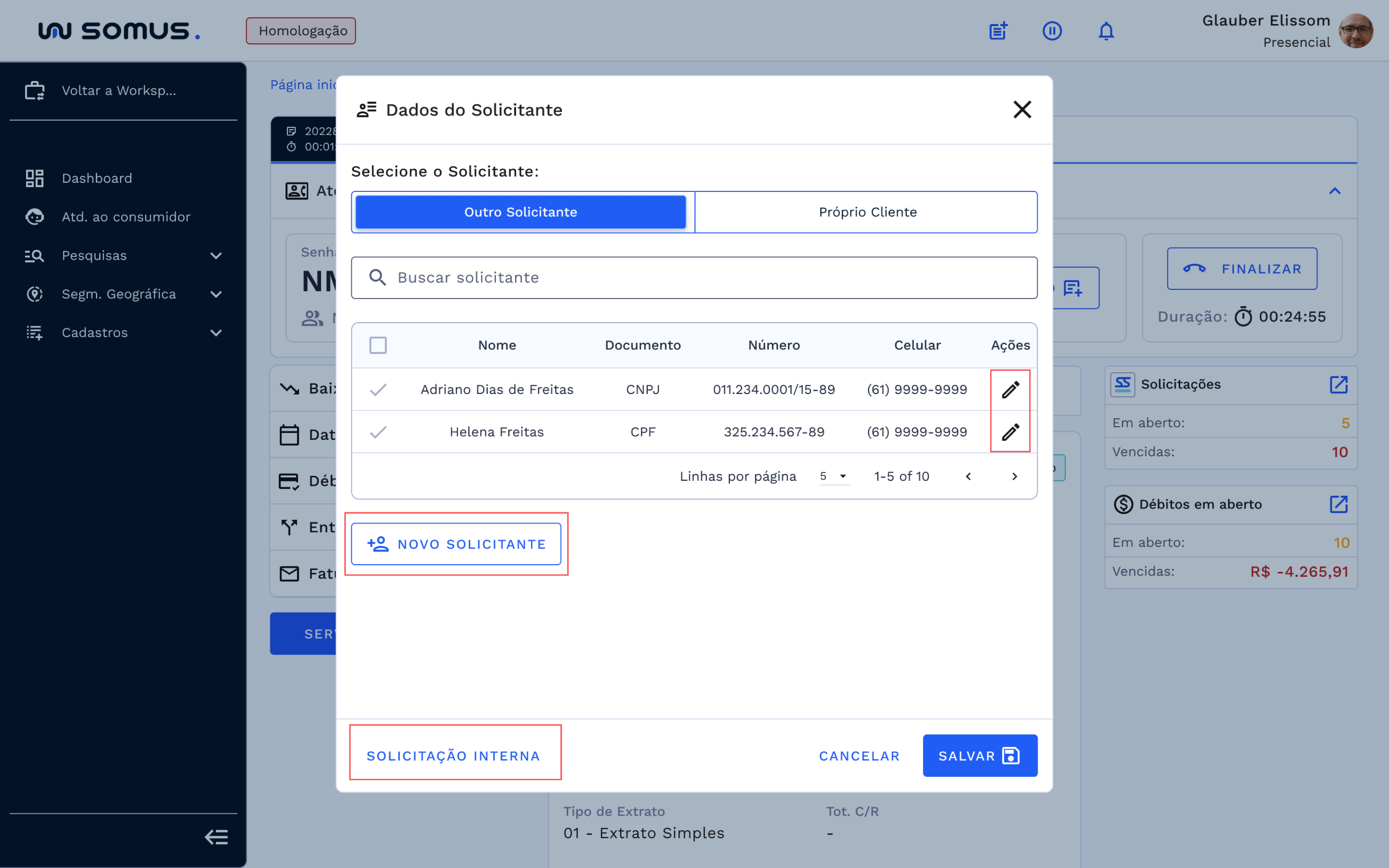
Applicant Data Main Screen
Interface has validation options, being the concessionaire's own customer and another requester linked to this customer;
New applicant button - available to insert the respective applicant to the dealership's customer, if he is not on the list of another applicant;
Action Option - Mechanism that provides access to edit the data of the applicant linked to the customer, he is forwarded to the screen to register applicant;
Internal Request Button – always available in both highlighted scenarios, as it leads to an anonymous request with no established customer link;
Table - contains the listing of all applicants associated with an active utility customer.
# USER REQUIREMENTS
Main actions that can be performed during the applicant definition:
| USER | RESPONSIBILITIES |
|---|---|
| It must define a requestor or inform that it is an internal request before starting the service generation. | |
| You will be able to perform the customer registration in the applicant data process and automatically define the registered customer as applicant. | |
| You can update the contact details of the customer's record from the applicant's record if you are the customer. | |
| Only the administrative profile will not require the applicant to register during the generation of a service. | |
| After the validations have been made and the requestor defined, the process of generating the services in the service profile can be started. | |
| You can define a previous applicant that has a link with a client and/or a UC. | |
| You can link the unit's customer as a requester. | |
| Register new applicants. | |
| You can change the type of request or change the requestor during the entire service in progress. | |
| All service requests generated during service will have the defined requester data registered as such. |
# INCIDENCE REPORT
Section dedicated to solving problems and errors that may occur and how they can be solved.
| PROBLEM | CAUSE | SOLUTION |
|---|---|---|
| The system can only allow linking the profile to the users registered as responsible. | The applicant is already registered in the database. | Return to previous applicants search screen |
| CPF or CNPJ already registered in the system, please inform another valid CPF or CNPJ. | The applicant is already registered in the database. | Return to previous applicants search screen. |
| nvalid CPF or CNPJ | Typing error or invalid in the IRS. | Check the numbers entered if they are correct and contact the responsible body. |
| Quick access feature: register customer button is not available. | The selected option is another requestor. | Select the client itself, depending on the validation it comes in registration or registration mode for updating. |
| Contact update selection is not enabled. | The link is not a customer. | Option enabled only for the dealership customer. |
| Generate from services without defining the requestor or request type. |
# RELATED DOCUMENTS
| TITLE | VERSION | LINK |
|---|---|---|
| Applicant Data | 1 | |
| Client register | ||
| Search by Customer/UC | ||
| Service Bar |
# Support Channels
Talk to us and ask your questions!
E-mail: [Parameterizable variables to be defined].
Phone: [Parameterizable variables to be defined]
Responsible Area: [Parameterizable variables to be defined]